Your whole fleet of agents,
in a window of its own
The office lives in the browser — but the moment you're running agents in earnest, one tab isn't a control room. Six spinners in six terminals, context you keep re-feeding, output you keep ferrying from one session to the next: that's not directing a team, that's being its wiring. The AutoDev desktop app (Electron) is the cockpit that ends it — launch, watch and steer dozens of agents across folders and offices from one native window, at a glance. Below is every screen it has, exactly as it looks — then grab it for your machine.
Linux .AppImage from autoaidev.com · built on the same open MCP endpoints as the CLI and VS Code extension · your keys and logs stay on your machine.
Built for the days you're running a real team
A single agent fits in a terminal. A team doesn't — and the tax is quiet: attention split across windows, tokens burned re-pasting context, an agent that drifted off goal while you were reading another one's log. The pixel office is the friendly face; the desktop app is the controls behind it — the same agents in a denser lens, built to launch many at once, surface the one that actually needs you, and keep the rest honest without you babysitting each.
Launch & watch, hands-free
Spawn a whole office or bind agents to folders on your machine, then leave them running. States, tasks and output update live — you check in instead of standing guard.
Every provider, one place
Grok, Claude, OpenCode and Copilot agents sit side by side. Read any session from any engine, and re-authenticate an agent in a click when a token expires.
Outside the browser
A native window, a keyboard command palette, and folder-grouped agents — no tab to lose, no dashboard to wire up. It talks to your office over the same open MCP endpoints.
Stop standing over one agent
A window of its own only earns its keep if it lets you look away. That's the whole point of it.
You hover over a spinner, hoping it's on track.
One agent, one terminal, and you glued to it — because the moment you look away you lose the thread of what it's doing and whether it's still on goal. Scale that to a team and it gets worse: you become the relay, copy-pasting between windows and re-feeding context by hand. That's the meat proxy trap — a human reduced to shuttling machine output, adding no judgement, just wiring.
The whole app, view by view
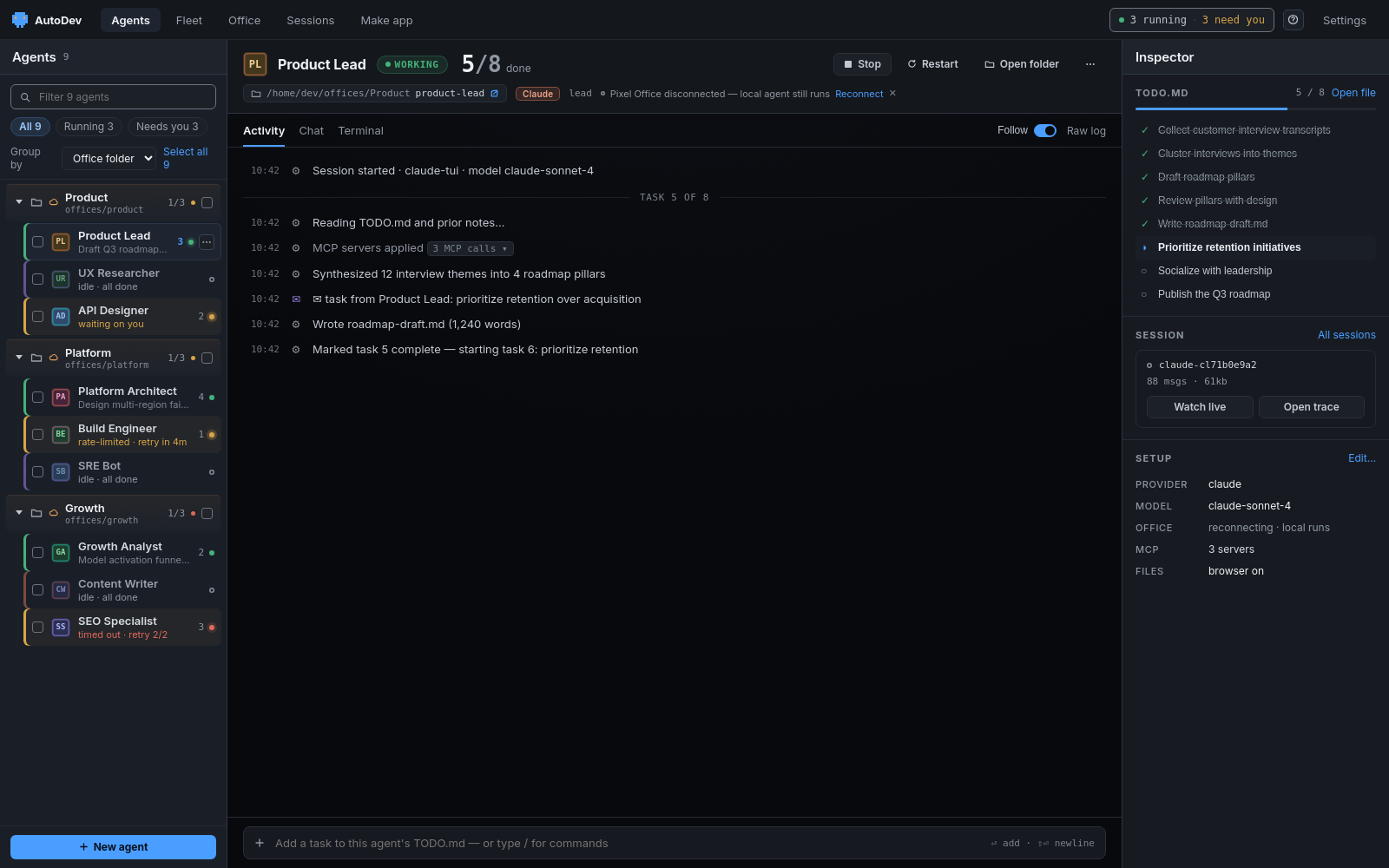
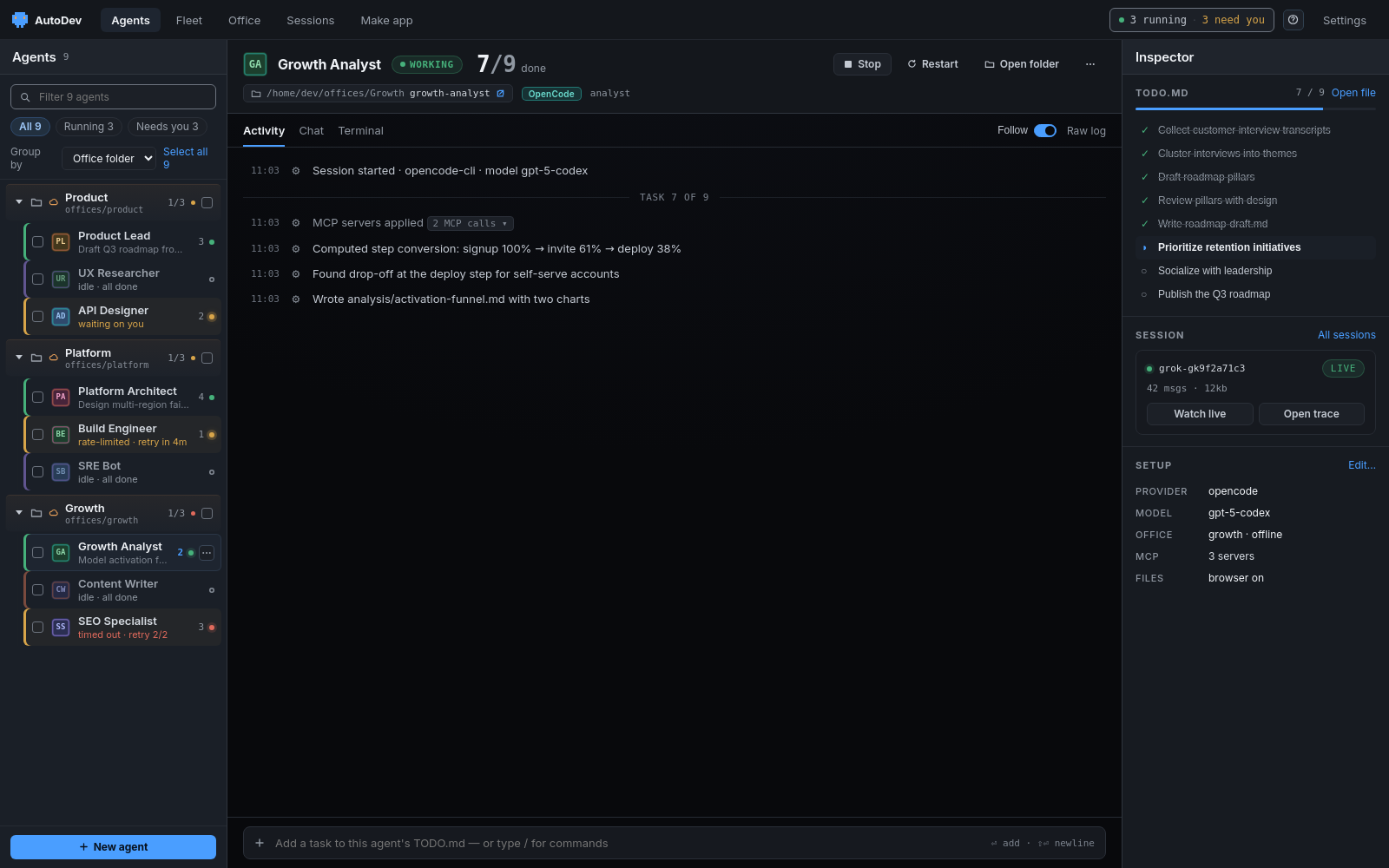
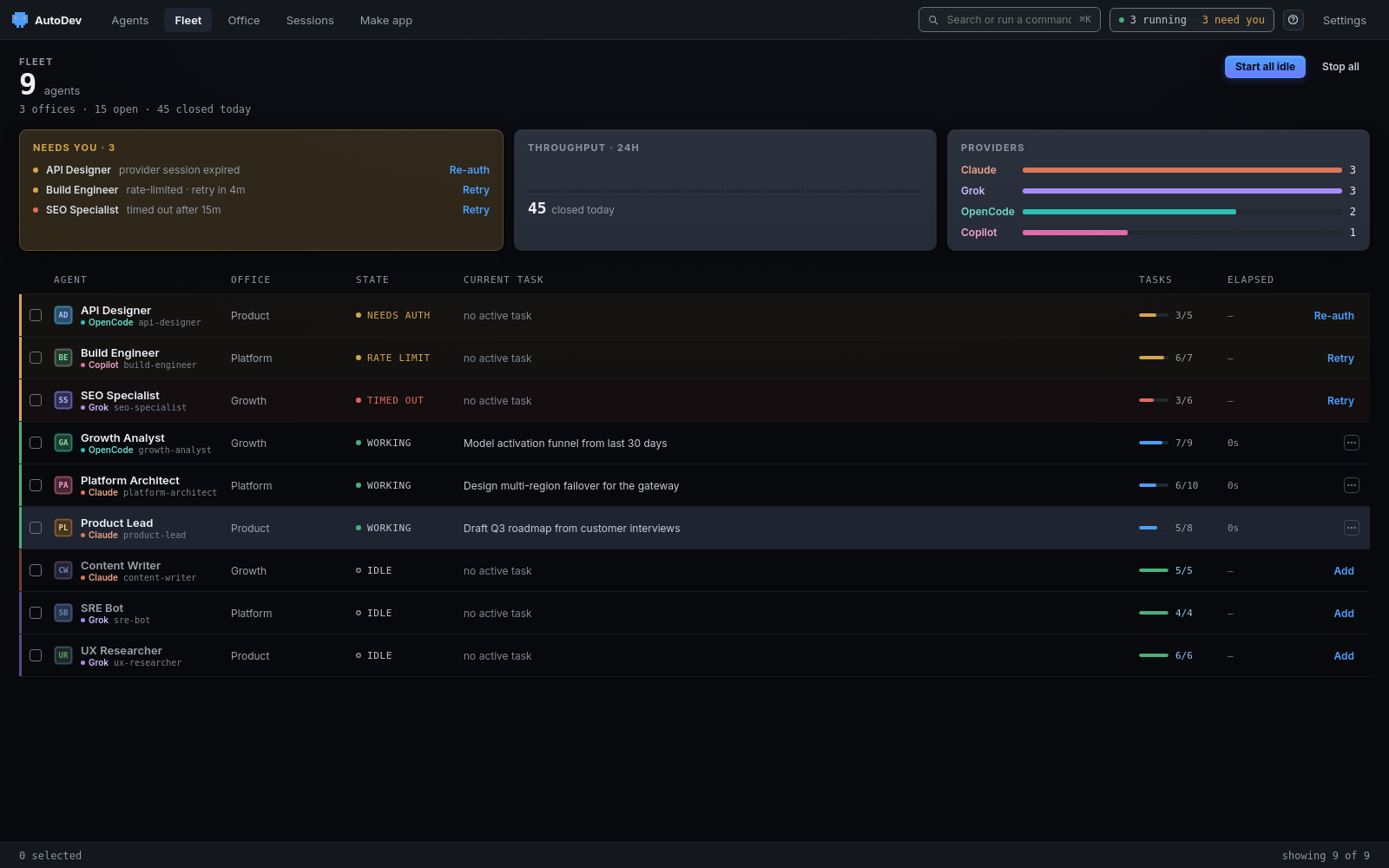
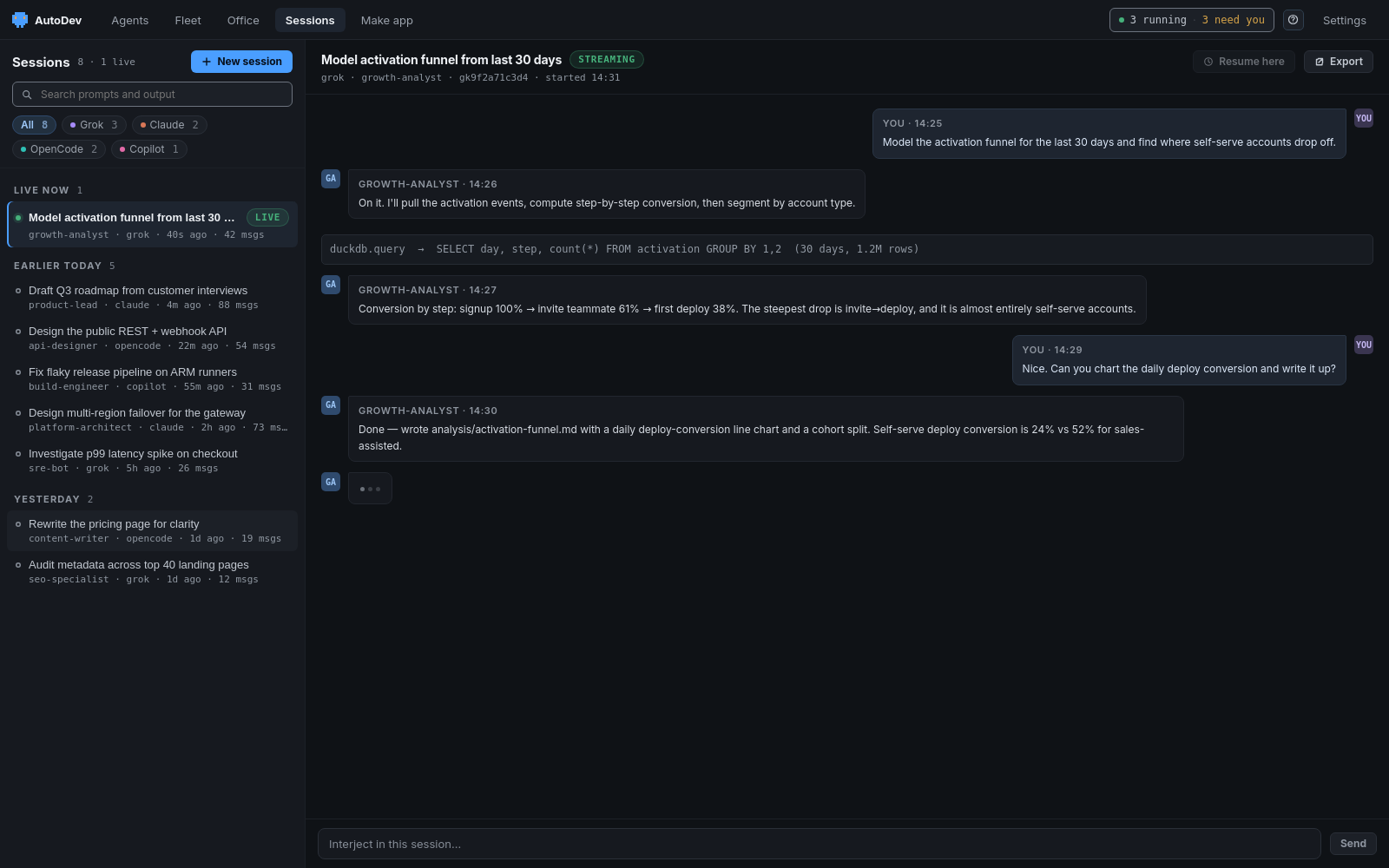
Real screenshots, honest captions — what each tab is for and what you can do there. Click any shot to view it full-size.
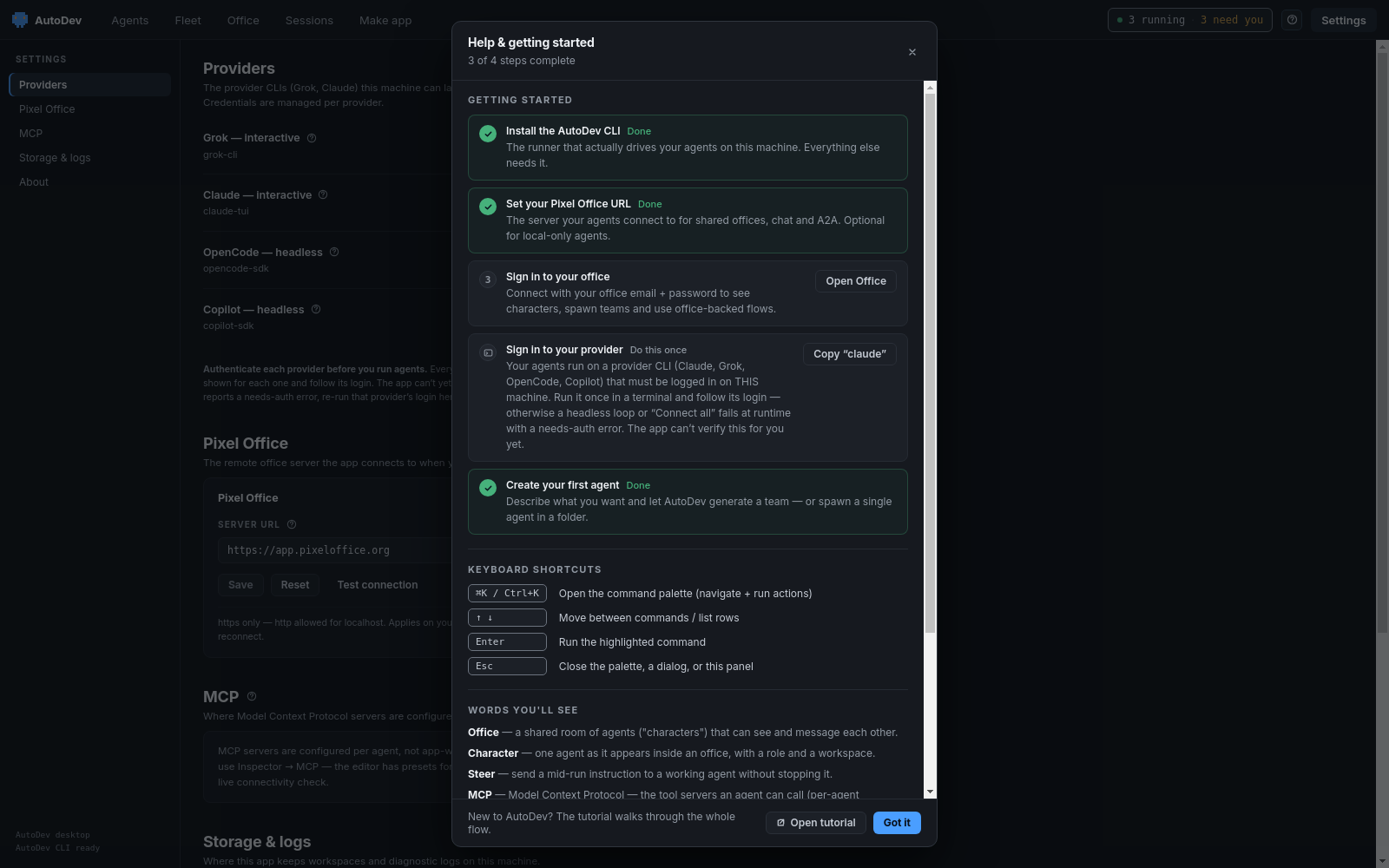
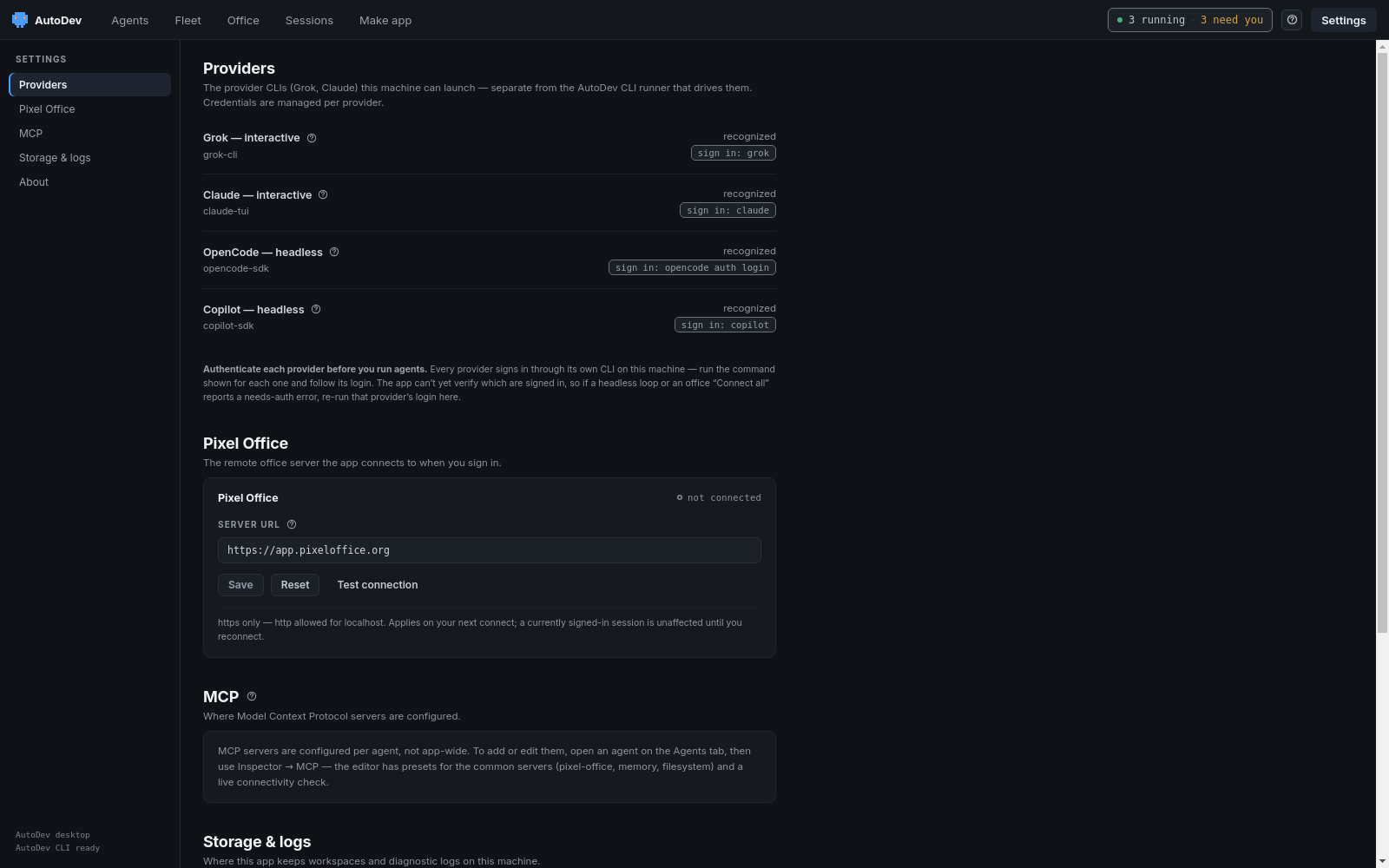
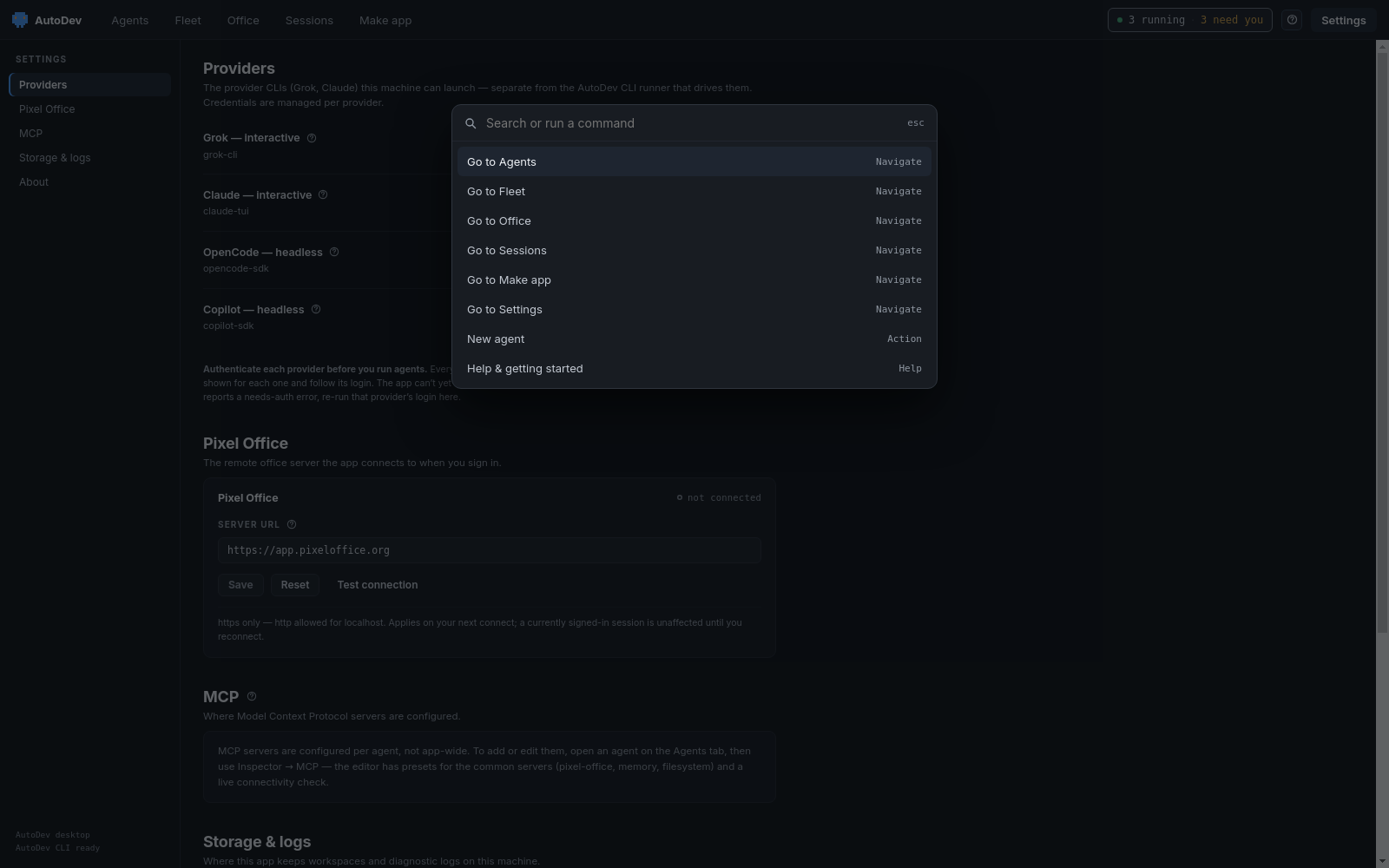
⌘K / Ctrl-K to open a searchable bar — jump straight to Agents, Fleet, Office, Sessions, Make app or Settings, or fire an action like New agent or Help. No mouse required.Download the AutoDev desktop app
One window for the whole fleet. Grab the desktop app, sign in to your office, and launch agents from your own machine. Prefer the terminal or your editor? The CLI and VS Code extension share the same endpoints.